i just got my lepro n1 6 meters today, i tried so many times but cant connect to my 2.4G internet, tried also in iphone and android same issue. cant connect to alexa because cant connect to lepro app. help me please
Dear User,
Thank you for your inquiry.
Please follow these steps to connect the N1 light to Lepro app:
1. Turn on Bluetooth.
2. Connect your phone to a 2.4G WiFi network.
3. Turn on the light; it will start flashing a slow blue light, indicating it’s in pairing mode. If it doesn't flash blue, long press the power button for over 5 seconds.
4. Open the Lepro App and click "Add Device."
5. If it shows "1 Device Detected" at the top, click "Check."
6. Enter your WiFi name and password.
7. Click "Next." The light will pair successfully within seconds.
8. Rename the light and click "Done."
If the connection fails, please let us know which step did not work so we can assist you further.
Best regards,
Lepro Customer Service Team
I tried this already all of it , still can’t connect it to the apps.
Dear User,
Thank you for your response.
Please position the white controller of the N1 light closer to the router and try the connection steps again.
If it still cannot connect, kindly provide the model number of the router. This will help us check for any compatibility issues and explore potential solutions.
Feel free to reply to this message or send me a direct message by clicking on my profile picture.
Best regards,
Lepro Customer Service Team
Already tried to move the controller nxt to router still not connecting. Anyway here’s my router info.
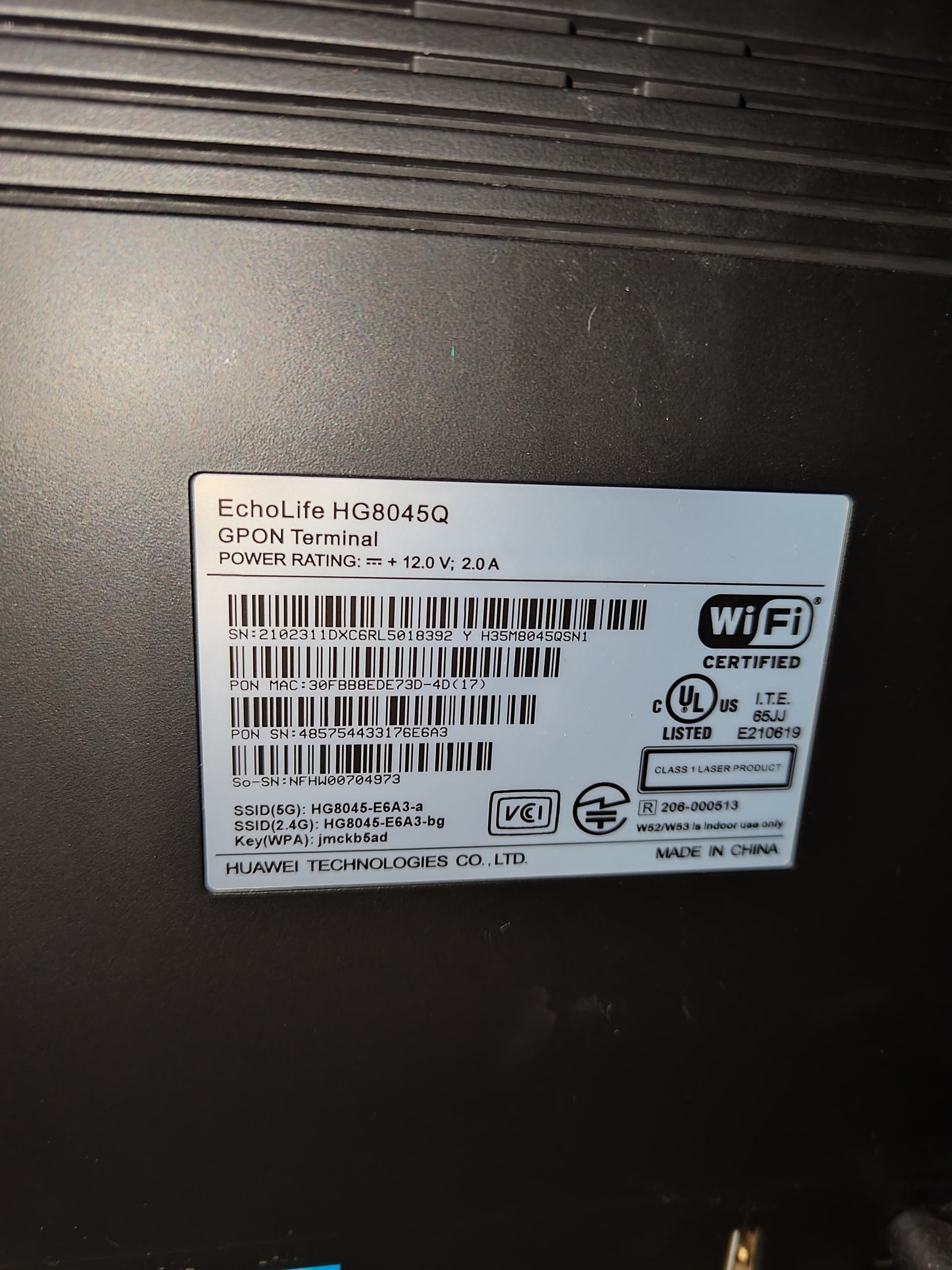
Can you try changing the router’s 2.4GHz SSID to the default HG8045-xxxx-bg (not containing any special characters such as ?&@ ) ?
Or try setting up a temporary 2.4GHz hotspot with your phone and test if it connects?
Tried this step, it connects to my iphone hotspot, but not directly to my router. Also my wifi SSID is different from the back of my routers info. Need to connect directly to my router.
So what now? I bought this so I can control it from alexa , it’s like nothing gonna take action anymore.
Hi,
Sorry for the trouble. We see some users use the same router model, and connects well. So it is strange that you don’t.
We guess there are some compatibility settings beening changed on your router.
Could you try changing your router’s ssid back to the default (on the router's setting web pages), and see if that fix?
If not, could you use an Android App “VREM WiFi Analyzer” to scan the router’s 2.4G ssid detail infomation (such as channel/frequence/security..), and send screenshorts to us?
Meanwhile, we pushed a temperory firmware update (2.2.8) to your N1, could you try upgrade the firmware, and see if it fix your problem?
Thank you very much.
Good news!! Update 2.2.8 fixed my issue!! Thank you very much!!!