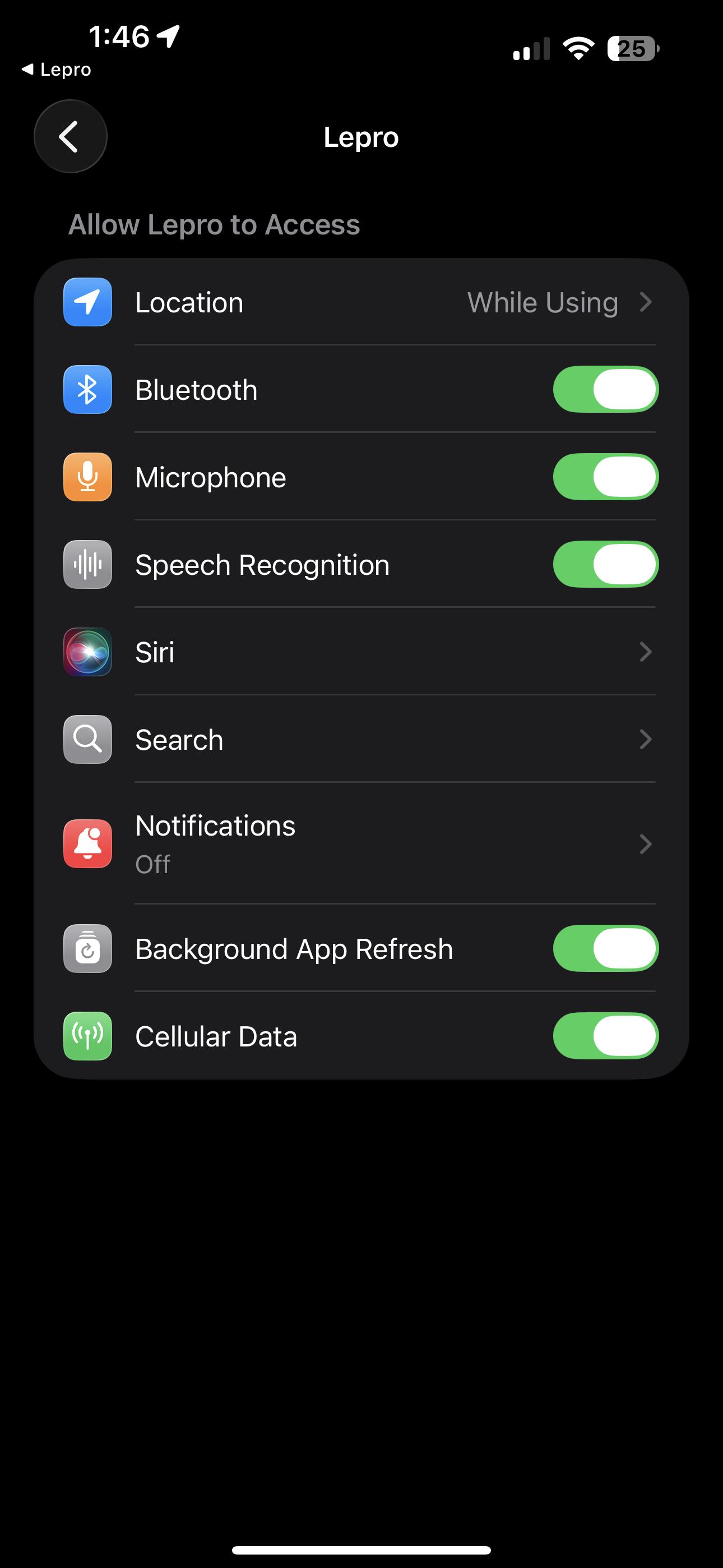
One of the lights is connected but the other one will not flash or connect and it’s refusing to connect to my WiFi even though I have the proper WiFi for them
(I have B-1 lightbulbs)
1 Like
Dear User,
Thank you for your inquiry.
For the B1 light bulb that isn't flashing, please try switching it off and on four times.
If it still doesn't flash blue, or if it can flash blue but won’t connect to Wi-Fi, please let us know. We are here to assist you.
Best regards,
Lepro Customer Service Team
It’s not connecting to my phone still bussing
Dear User,
Thank you for your inquiry.
If the product you have is B1 bulb, please follow these steps to connect it to Lepro app:
1. Turn on "Bluetooth", connect your phone to 2.4G WiFi
2. Turn on the light; it will start flashing a slow blue light, indicating that it's in pairing mode. If the light does not flash blue, switch it off and on four times.
3. Open Lepro App, click "Add device"
4. If it shows "1 Device Detected" at the top, click "Check"
5. Enter the name and password of your WiFi network.
6. Click "Next." The light will pair successfully within seconds and turn to solid white.
7. Rename it and click "Done"
If the connection fails, please let us know which step did not work so we can assist you further.
If your product is not the B1 bulb, please provide the product model number and specify which connection step failed so we can help you more effectively.
Best regards,
Lepro Customer Service Team
Hello. A very good day to you. I hope you are very well? I am having same issues with my Lepro B1 bulbs please. I have tried everything and i mean everything, not connecting at all. I recently just changed network provider and all other appliaces have connected to the new wifi except these bulbs unfortunately. What can i do please?
Dear User,
Thanks for reaching out.
Please ensure that your network is set to 2.4G only when connecting the B1 bulb to the app.
In your phone's WLAN settings, forget the previous network (from the old modem), then try resetting the B1 bulb by switching it off and on four times, and reconnecting it to the Lepro app.
If the connection fails, please let us know which step did not work so we can assist you further.
Best regards,
Lepro Customer Service Team
Hi,
eero 5hz suspended
Bluetooth on phone
Phone disconnected / connected to eero after suspension
Light flashed blue
All good, pic of B1 displayed, click connect, BLUETOOTH DISABLED fail Network pairing failed
Tried on two bulbs, same error
Dear user,
Thank you for your inquiry.
Our investigation revealed that you need to update the firmware. Please make the following attempts:
1. Use another phone to open a hot-spot as 2.4G WiFi
2. Go to WLAN setting, connect your own phone to the hot-spot.
3. Open Lepro app and perform a firmware update on the light.
4. After you finish firmware update, you can reset the bulb and connect your phone to the WiFi network to re-pair the bulb.
If you have any further questions, please feel free to reach out.
Best regards,
Lepro Customer Service Team
B1 light is not flashing even when turning off and on four times. I deleted the app. I have other lamps connected to the 2.3 WiFi working just fine. The local network option is not showing up on my phone either.
Dear User,
Thank you for reaching out. We sincerely apologize for any inconvenience.
If the model of your light bulb is B1, please try the following steps:
1. Remove the B1 bulb from the Lepro app.
2. The B1 bulb should start flashing blue. If it does not, please switch it off and on four times.
3. Open the Lepro App, click "Add device".
4. If it shows "1 Device Detected" at the top, click "Check".
5. Enter the name and password of your WiFi network.
6. Click "Next." The light will pair successfully within seconds and turn to solid white.
If the pairing fails, please let us know which step did not work and the error message so we can assist you further. Or you could email our after-sales service team directly at cs@lepro.com for further assistance.
Please feel free to contact us if you have any questions.
Best regards,
Lepro Customer Service Team